F5 — Label Distribution Protocol (LDP)
Goals
Explore LDP as an alternative MPLS transport branch. This lab starts from the F2 IS-IS baseline and does not require F3 SR-MPLS or F4 BGP.
By the end of this lab you will be able to:
- Enable MPLS forwarding on the core interfaces
- Configure an LDP instance with a loopback-based LSR ID
- Form and verify the LDP adjacency over the IS-IS core link
- Verify label bindings for the PE loopbacks
Prerequisites
- Complete F1 and F2, or deploy this lab with its included F2 baseline.
- F3 and F4 are not prerequisites; F5 is the alternative LDP branch.
- Make the SAOS 10x image
vrnetlab/ciena_saos:10-12-00-0228(release 10.12.00.0228) available to Containerlab. - Activate the built-in trial license after deployment.
Topology
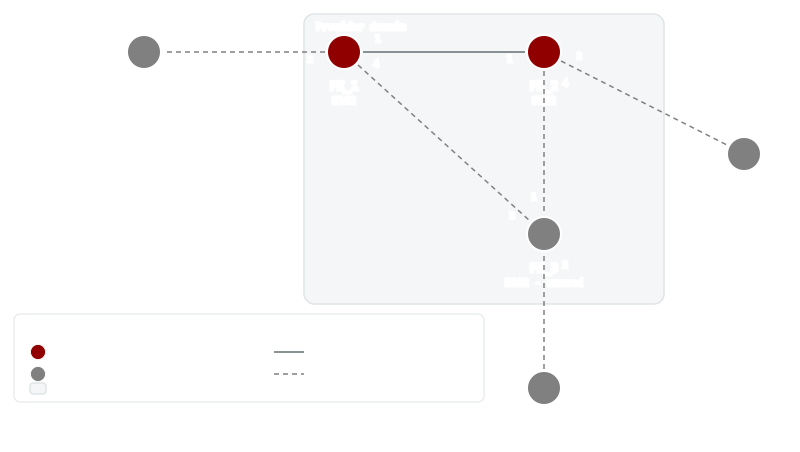
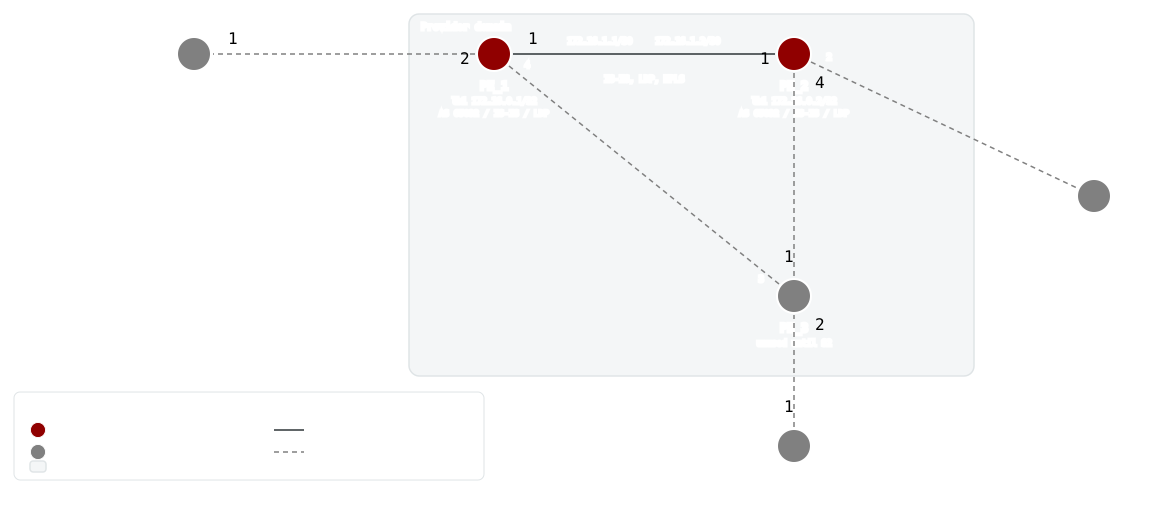
PE_1 and PE_2 use port 1 for the IS-IS and LDP core link.
LDP addressing
| Node | LDP LSR ID | Core address |
|---|---|---|
| PE_1 | 172.16.0.1 | 172.16.1.1/30 |
| PE_2 | 172.16.0.2 | 172.16.1.2/30 |
Deploy
Startup Configs
The checkpoint baseline each node boots from. If you are assembling the lab by hand, create a configs/ folder next to topo.clab.yml and copy each file into it before you deploy.
- PE_1.cfg.partial
- PE_2.cfg.partial
- PE_3.cfg.partial
- CE_1.cfg.partial
- CE_2.cfg.partial
- CE_3.cfg.partial
Containerlab topology
Download the topology file: topo.clab.yml
name: F5-LDP
topology:
  defaults:
    kind: ciena_saos
    image: vrnetlab/ciena_saos:10-12-00-0228
    labels:
      lab-mode: hands-on
      prereq-lab: F2-IS-IS-Routing
  nodes:
    PE_1:
      type: '5162'
      startup-config: configs/PE_1.cfg.partial
    PE_2:
      type: '5162'
      startup-config: configs/PE_2.cfg.partial
    PE_3:
      type: '5162'
      labels:
        lab-state: unused
      startup-config: configs/PE_3.cfg.partial
    CE_1:
      type: '3984'
      labels:
        lab-state: unused
      startup-config: configs/CE_1.cfg.partial
    CE_2:
      type: '3984'
      labels:
        lab-state: unused
      startup-config: configs/CE_2.cfg.partial
    CE_3:
      type: '3984'
      labels:
        lab-state: unused
      startup-config: configs/CE_3.cfg.partial
  links:
  - endpoints: [ "PE_1:1", "PE_2:1" ]
  - endpoints: [ "PE_1:2", "CE_1:1" ]
  - endpoints: [ "PE_2:2", "CE_2:1" ]
  - endpoints: [ "PE_2:4", "PE_3:1" ]
  - endpoints: [ "PE_1:4", "PE_3:3" ]
  - endpoints: [ "CE_3:1", "PE_3:2" ]
Start from checkpoint
LAB=F5-LDP
cd labs/${LAB}            # from the repo root, or cd into the unpacked directory
containerlab deploy -t topo.clab.yml
Equivalent invocation from the repo root:
containerlab deploy -t "labs/${LAB}/topo.clab.yml"
Connect to the active PEs:
ssh diag@clab-F5-LDP-PE_1
ssh diag@clab-F5-LDP-PE_2
Default credentials: diag / ciena123
Instructions
- Task 1: Configure LDP on PE_1
- Task 2: Configure LDP on PE_2
- Task 3: Verify the alternative transport
Task 1: Configure LDP on PE_1
Summary — The preloaded baseline is the familiar IS-IS underlay:
instance Bootcamp runs level-1 between PE_1 and PE_2 over
PE_1-PE_2-if, with loopbacks 172.16.0.1 and 172.16.0.2 as router
identities. This lab layers a different MPLS transport on top of it — LDP.
Background — LDP is a protocol that signals label bindings dynamically instead of deriving them from IGP-advertised segments the way SR does. Neighbors are discovered by hello messages sent on LDP-enabled interfaces, and each router presents itself with an LSR ID — the stable identity every peer will know this router by.
Implementation — On PE_1 that takes three moves. First, allow the
dataplane to switch labels at all by turning on label switching for the
core interface PE_1-PE_2-if and the loopback lb1 under MPLS. Second,
create the default LDP instance and anchor its LSR ID to the loopback
address 172.16.0.1. Third, enable IPv4 LDP on PE_1-PE_2-if, which is
what actually starts hello messages leaving that interface.
Configure (config mode) on PE_1:
mpls interfaces interface PE_1-PE_2-if label-switching true
mpls interfaces interface lb1 label-switching true
ldp instance default lsr-id 172.16.0.1
ldp instance default interfaces interface PE_1-PE_2-if enable-ipv4 true
LDP state is single-ended at first: the moment the instance exists, show
ldp should report the local LSR ID 172.16.0.1 — that alone is what this
task's check looks for. Would you expect any adjacency to appear yet? PE_2
is not speaking LDP, so hellos sent on PE_1-PE_2-if have no listener; a
one-sided view here is healthy, not broken.
Why anchor the LSR ID to lb1 rather than the link address 172.16.1.1?
The loopback never goes down with a physical port, so the router's LDP
identity — and the TCP session later built to it — survives topology
changes.
Verify (show mode) on PE_1:
show
ldp
Pass: Output contains 172.16.0.1
Example output
+---------------------- LDP STATE ----------------------+
| Name                         | Value                  |
+------------------------------+------------------------+
| Instance                     | default                |
| Version                      | 1                      |
| FEC Count                    | 3                      |
| Session Count                | Total:1     UP:1       |
| Targeted Count               | Total:0     UP:0       |
| PW Status TLV                | False                  |
| Inter-area LSP               | False                  |
| Neighbor Liveness (s)        | 120                    |
| Max Recovery (s)             | 120                    |
| GR helper-enable             | True                   |
| GR enable                    | False                  |
| Router ID                    | 172.16.0.1             |
| Advertisement Mode           | downstream-unsolicited |
| Label Retention Mode         | liberal                |
| Label Control Mode           | ordered                |
| Targeted Hello Hold Time (s) | 45                     |
| Targeted Hello Interval (s)  | 15                     |
| Hold Time (s)                | 15                     |
| Hello Interval (s)           | 5                      |
| Keepalive Interval (s)       | 10                     |
| Keepalive Timeout (s)        | 30                     |
| Label Space                  | 0                      |
| Transport Address            | 172.16.0.1             |
+------------------------------+------------------------+
Task 2: Configure LDP on PE_2
Mirror Task 1 on PE_2 — the same three moves, deliberately symmetric;
only the LSR ID differs, because it must be unique per router:
- label switching on for
PE_1-PE_2-ifandlb1 - the
defaultLDP instance with LSR ID172.16.0.2 - IPv4 LDP enabled on
PE_1-PE_2-if
Configure (config mode) on PE_2:
mpls interfaces interface PE_1-PE_2-if label-switching true
mpls interfaces interface lb1 label-switching true
ldp instance default lsr-id 172.16.0.2
ldp instance default interfaces interface PE_1-PE_2-if enable-ipv4 true
Completing this side is what turns the protocol two-ended: both routers are now sourcing hellos on the shared link, so discovery, the session, and label exchange can all begin.
As on PE_1, the local view should immediately show the LSR ID 172.16.0.2
— that is the check for this task. But the more interesting question is what
changes beyond it: with hellos now flowing both ways on PE_1-PE_2-if,
would you expect the two routers to discover each other, and roughly how
quickly? The next task puts that expectation to the test.
Verify (show mode) on PE_2:
show ldp
Pass: Output contains 172.16.0.2
Example output
+---------------------- LDP STATE ----------------------+
| Name                         | Value                  |
+------------------------------+------------------------+
| Instance                     | default                |
| Version                      | 1                      |
| FEC Count                    | 3                      |
| Session Count                | Total:1     UP:1       |
| Targeted Count               | Total:0     UP:0       |
| PW Status TLV                | False                  |
| Inter-area LSP               | False                  |
| Neighbor Liveness (s)        | 120                    |
| Max Recovery (s)             | 120                    |
| GR helper-enable             | True                   |
| GR enable                    | False                  |
| Router ID                    | 172.16.0.2             |
| Advertisement Mode           | downstream-unsolicited |
| Label Retention Mode         | liberal                |
| Label Control Mode           | ordered                |
| Targeted Hello Hold Time (s) | 45                     |
| Targeted Hello Interval (s)  | 15                     |
| Hold Time (s)                | 15                     |
| Hello Interval (s)           | 5                      |
| Keepalive Interval (s)       | 10                     |
| Keepalive Timeout (s)        | 30                     |
| Label Space                  | 0                      |
| Transport Address            | 172.16.0.2             |
+------------------------------+------------------------+
Task 3: Verify the alternative transport
Summary — This task is verification only — no configuration changes. It
is worth separating two things LDP builds in sequence: first a hello
adjacency, formed when each router hears the other's discovery hellos on
PE_1-PE_2-if; then a session between the two LSR IDs, over which the
routers exchange label bindings for the IPv4 prefixes they learned from IS-
IS — including each other's loopback /32s.
Implementation — Nothing to configure; inspect the end product, which
lives in the MPLS forwarding tables: an FTN (FEC-to-NHLFE) entry that maps
traffic destined to the remote loopback onto a label push out
PE_1-PE_2-if. That entry is the proof that a labeled transport path now
exists between the PEs, signaled entirely by LDP.
On PE_1, the LDP adjacency view should list peer 172.16.0.2 learned via
PE_1-PE_2-if; PE_2 should show the mirror image with 172.16.0.1.
Seeing the peer's LSR ID here confirms bidirectional hello exchange —
remember this state could not exist until both Tasks 1 and 2 were done.
Then the FTN table on each PE should hold a push entry for the remote
loopback (172.16.0.2 from PE_1, 172.16.0.1 from PE_2) out
PE_1-PE_2-if — LDP bound a label to a prefix that IS-IS put in the routing
table. Discovery, session setup, and label distribution take time, so expect
these entries to appear within a couple of minutes of finishing Task 2; the
checks allow for that.
If the adjacency shows but the FTN entry never does, what would you inspect — the LDP session between the LSR IDs, or whether IS-IS is advertising the IPv4 loopback at all?
Verify (show mode) on PE_1:
show ldp adjacencies
Pass: Output contains 172.16.0.2 and PE_1-PE_2-if
Example output
+----------------------- LDP ADJACENCY STATE ------------------------+
|            |              |  Hold    |                |            |
| IP Address |    Interface | Time (s) | LDP Identifier |    Type    |
+------------+--------------+----------+----------------+------------+
| 172.16.1.2 | PE_1-PE_2-if |    15    |     172.16.0.2 | LINK HELLO |
+------------+--------------+----------+----------------+------------+
Verify (show mode) on PE_2:
show ldp adjacencies
Pass: Output contains 172.16.0.1 and PE_1-PE_2-if
Example output
+----------------------- LDP ADJACENCY STATE ------------------------+
|            |              |  Hold    |                |            |
| IP Address |    Interface | Time (s) | LDP Identifier |    Type    |
+------------+--------------+----------+----------------+------------+
| 172.16.1.1 | PE_1-PE_2-if |    15    |     172.16.0.1 | LINK HELLO |
+------------+--------------+----------+----------------+------------+
Verify (show mode) on PE_1:
show mpls ftn-table
Pass: Output contains PE_1-PE_2-if and 172.16.0.2 and push
Example output
+--------------------------------------------------------------------------------------------------------------------+
| Codes: > - installed FTN, * - selected FTN, p - stale FTN, b - backup route                                        |
|        B - BGP FTN, K - CLI FTN, t - tunnel                                                                        |
|        L - LDP FTN, R - RSVP-TE FTN, S - SNMP FTN, I - IGP-Shortcut,                                               |
|        U - unknown FTN, O - SR-OSPF FTN, i - SR-ISIS FTN, k - SR-CLI FTN,                                          |
|        s - SR-TE FTN,  ip - IP-ISIS FTN, io - IP-OSPF FTN, ib - IP-BGP FTN,                                        |
|        M - MPLS-TP FTN, ias - IAS FTN, v - VPN FTN,                                                                |
|        m - PW-MPLS FTN, e - EVPN FTN                                                                               |
|        C - Color, Tn - Tunnel Name, f - Fallback, ML - Multicast LDP, IR - Ingress-Replication, F - Flex-Algorithm |
+--------------------------------------------------------------------------------------------------------------------+
+------------------------------------------------------------------------------- MPLS FTN TABLE -------------------------------------------------------------------------------+
|          |                    |                                      |        |          Label          |                  |                 |  Oper  | Admin  |    Inner    |
|   Code   |        FEC         |              Qualifiers              | OpCode |     In     |    Out     |  Out Interface   |     Next Hop    | Status | Status | Label Stack |
+----------+--------------------+--------------------------------------+--------+------------+------------+------------------+-----------------+--------+--------+-------------+
| L *>     | 172.16.0.2/32      | -                                    |  push  | -          | 3          | PE_1-PE_2-if     | 172.16.1.2      |   Up   |   Up   |             |
+----------+--------------------+--------------------------------------+--------+------------+------------+------------------+-----------------+--------+--------+-------------+
Verify (show mode) on PE_2:
show mpls ftn-table
Pass: Output contains PE_1-PE_2-if and 172.16.0.1 and push
Example output
+--------------------------------------------------------------------------------------------------------------------+
| Codes: > - installed FTN, * - selected FTN, p - stale FTN, b - backup route                                        |
|        B - BGP FTN, K - CLI FTN, t - tunnel                                                                        |
|        L - LDP FTN, R - RSVP-TE FTN, S - SNMP FTN, I - IGP-Shortcut,                                               |
|        U - unknown FTN, O - SR-OSPF FTN, i - SR-ISIS FTN, k - SR-CLI FTN,                                          |
|        s - SR-TE FTN,  ip - IP-ISIS FTN, io - IP-OSPF FTN, ib - IP-BGP FTN,                                        |
|        M - MPLS-TP FTN, ias - IAS FTN, v - VPN FTN,                                                                |
|        m - PW-MPLS FTN, e - EVPN FTN                                                                               |
|        C - Color, Tn - Tunnel Name, f - Fallback, ML - Multicast LDP, IR - Ingress-Replication, F - Flex-Algorithm |
+--------------------------------------------------------------------------------------------------------------------+
+------------------------------------------------------------------------------- MPLS FTN TABLE -------------------------------------------------------------------------------+
|          |                    |                                      |        |          Label          |                  |                 |  Oper  | Admin  |    Inner    |
|   Code   |        FEC         |              Qualifiers              | OpCode |     In     |    Out     |  Out Interface   |     Next Hop    | Status | Status | Label Stack |
+----------+--------------------+--------------------------------------+--------+------------+------------+------------------+-----------------+--------+--------+-------------+
| L *>     | 172.16.0.1/32      | -                                    |  push  | -          | 3          | PE_1-PE_2-if     | 172.16.1.1      |   Up   |   Up   |             |
+----------+--------------------+--------------------------------------+--------+------------+------------+------------------+-----------------+--------+--------+-------------+
Tests
Deploy F5-LDP, then run the following validation checks.
G1: Task 1 — Configure LDP on PE_1
On PE_1, run:
show ldp
Pass: Output contains 172.16.0.1
Example output
+---------------------- LDP STATE ----------------------+
| Name                         | Value                  |
+------------------------------+------------------------+
| Instance                     | default                |
| Version                      | 1                      |
| FEC Count                    | 3                      |
| Session Count                | Total:1     UP:1       |
| Targeted Count               | Total:0     UP:0       |
| PW Status TLV                | False                  |
| Inter-area LSP               | False                  |
| Neighbor Liveness (s)        | 120                    |
| Max Recovery (s)             | 120                    |
| GR helper-enable             | True                   |
| GR enable                    | False                  |
| Router ID                    | 172.16.0.1             |
| Advertisement Mode           | downstream-unsolicited |
| Label Retention Mode         | liberal                |
| Label Control Mode           | ordered                |
| Targeted Hello Hold Time (s) | 45                     |
| Targeted Hello Interval (s)  | 15                     |
| Hold Time (s)                | 15                     |
| Hello Interval (s)           | 5                      |
| Keepalive Interval (s)       | 10                     |
| Keepalive Timeout (s)        | 30                     |
| Label Space                  | 0                      |
| Transport Address            | 172.16.0.1             |
+------------------------------+------------------------+
G2: Task 2 — Configure LDP on PE_2
On PE_2, run:
show ldp
Pass: Output contains 172.16.0.2
Example output
+---------------------- LDP STATE ----------------------+
| Name                         | Value                  |
+------------------------------+------------------------+
| Instance                     | default                |
| Version                      | 1                      |
| FEC Count                    | 3                      |
| Session Count                | Total:1     UP:1       |
| Targeted Count               | Total:0     UP:0       |
| PW Status TLV                | False                  |
| Inter-area LSP               | False                  |
| Neighbor Liveness (s)        | 120                    |
| Max Recovery (s)             | 120                    |
| GR helper-enable             | True                   |
| GR enable                    | False                  |
| Router ID                    | 172.16.0.2             |
| Advertisement Mode           | downstream-unsolicited |
| Label Retention Mode         | liberal                |
| Label Control Mode           | ordered                |
| Targeted Hello Hold Time (s) | 45                     |
| Targeted Hello Interval (s)  | 15                     |
| Hold Time (s)                | 15                     |
| Hello Interval (s)           | 5                      |
| Keepalive Interval (s)       | 10                     |
| Keepalive Timeout (s)        | 30                     |
| Label Space                  | 0                      |
| Transport Address            | 172.16.0.2             |
+------------------------------+------------------------+
G3: Task 3 — Verify the alternative transport
On PE_1, run:
show ldp adjacencies
Pass: Output contains 172.16.0.2 and PE_1-PE_2-if
Example output
+----------------------- LDP ADJACENCY STATE ------------------------+
|            |              |  Hold    |                |            |
| IP Address |    Interface | Time (s) | LDP Identifier |    Type    |
+------------+--------------+----------+----------------+------------+
| 172.16.1.2 | PE_1-PE_2-if |    15    |     172.16.0.2 | LINK HELLO |
+------------+--------------+----------+----------------+------------+
On PE_2, run:
show ldp adjacencies
Pass: Output contains 172.16.0.1 and PE_1-PE_2-if
Example output
+----------------------- LDP ADJACENCY STATE ------------------------+
|            |              |  Hold    |                |            |
| IP Address |    Interface | Time (s) | LDP Identifier |    Type    |
+------------+--------------+----------+----------------+------------+
| 172.16.1.1 | PE_1-PE_2-if |    15    |     172.16.0.1 | LINK HELLO |
+------------+--------------+----------+----------------+------------+
On PE_1, run:
show mpls ftn-table
Pass: Output contains PE_1-PE_2-if and 172.16.0.2 and push
Example output
+--------------------------------------------------------------------------------------------------------------------+
| Codes: > - installed FTN, * - selected FTN, p - stale FTN, b - backup route                                        |
|        B - BGP FTN, K - CLI FTN, t - tunnel                                                                        |
|        L - LDP FTN, R - RSVP-TE FTN, S - SNMP FTN, I - IGP-Shortcut,                                               |
|        U - unknown FTN, O - SR-OSPF FTN, i - SR-ISIS FTN, k - SR-CLI FTN,                                          |
|        s - SR-TE FTN,  ip - IP-ISIS FTN, io - IP-OSPF FTN, ib - IP-BGP FTN,                                        |
|        M - MPLS-TP FTN, ias - IAS FTN, v - VPN FTN,                                                                |
|        m - PW-MPLS FTN, e - EVPN FTN                                                                               |
|        C - Color, Tn - Tunnel Name, f - Fallback, ML - Multicast LDP, IR - Ingress-Replication, F - Flex-Algorithm |
+--------------------------------------------------------------------------------------------------------------------+
+------------------------------------------------------------------------------- MPLS FTN TABLE -------------------------------------------------------------------------------+
|          |                    |                                      |        |          Label          |                  |                 |  Oper  | Admin  |    Inner    |
|   Code   |        FEC         |              Qualifiers              | OpCode |     In     |    Out     |  Out Interface   |     Next Hop    | Status | Status | Label Stack |
+----------+--------------------+--------------------------------------+--------+------------+------------+------------------+-----------------+--------+--------+-------------+
| L *>     | 172.16.0.2/32      | -                                    |  push  | -          | 3          | PE_1-PE_2-if     | 172.16.1.2      |   Up   |   Up   |             |
+----------+--------------------+--------------------------------------+--------+------------+------------+------------------+-----------------+--------+--------+-------------+
On PE_2, run:
show mpls ftn-table
Pass: Output contains PE_1-PE_2-if and 172.16.0.1 and push
Example output
+--------------------------------------------------------------------------------------------------------------------+
| Codes: > - installed FTN, * - selected FTN, p - stale FTN, b - backup route                                        |
|        B - BGP FTN, K - CLI FTN, t - tunnel                                                                        |
|        L - LDP FTN, R - RSVP-TE FTN, S - SNMP FTN, I - IGP-Shortcut,                                               |
|        U - unknown FTN, O - SR-OSPF FTN, i - SR-ISIS FTN, k - SR-CLI FTN,                                          |
|        s - SR-TE FTN,  ip - IP-ISIS FTN, io - IP-OSPF FTN, ib - IP-BGP FTN,                                        |
|        M - MPLS-TP FTN, ias - IAS FTN, v - VPN FTN,                                                                |
|        m - PW-MPLS FTN, e - EVPN FTN                                                                               |
|        C - Color, Tn - Tunnel Name, f - Fallback, ML - Multicast LDP, IR - Ingress-Replication, F - Flex-Algorithm |
+--------------------------------------------------------------------------------------------------------------------+
+------------------------------------------------------------------------------- MPLS FTN TABLE -------------------------------------------------------------------------------+
|          |                    |                                      |        |          Label          |                  |                 |  Oper  | Admin  |    Inner    |
|   Code   |        FEC         |              Qualifiers              | OpCode |     In     |    Out     |  Out Interface   |     Next Hop    | Status | Status | Label Stack |
+----------+--------------------+--------------------------------------+--------+------------+------------+------------------+-----------------+--------+--------+-------------+
| L *>     | 172.16.0.1/32      | -                                    |  push  | -          | 3          | PE_1-PE_2-if     | 172.16.1.1      |   Up   |   Up   |             |
+----------+--------------------+--------------------------------------+--------+------------+------------+------------------+-----------------+--------+--------+-------------+
Solutions
Use the preloaded baseline for context, then apply the learner solution blocks in task order.
Preloaded baseline
PE_1
# Preloaded start
system config hostname PE_1
fds fd PE_1-PE_2-FD mode vpls
oc-if:interfaces interface lb1 config name lb1 type loopback
oc-if:interfaces interface lb1 ipv4 addresses address 172.16.0.1 config ip 172.16.0.1 prefix-length 32
oc-if:interfaces interface lb1 ipv6 addresses address FC00::1 config ip FC00::1 prefix-length 128
oc-if:interfaces interface PE_1-PE_2-if config mtu 1500 name PE_1-PE_2-if type ip
oc-if:interfaces interface PE_1-PE_2-if config underlay-binding config fd PE_1-PE_2-FD
oc-if:interfaces interface PE_1-PE_2-if ipv4 addresses address 172.16.1.1 config ip 172.16.1.1 prefix-length 30
oc-if:interfaces interface PE_1-PE_2-if ipv6 addresses address FC00::600 config ip FC00::600 prefix-length 127
classifiers classifier CLASSIFIER-UNTAGGED filter-entry vtag-stack untagged-exclude-priority-tagged false
fps fp PE_1-PE_2-FP classifier-list-precedence 7 fd-name PE_1-PE_2-FD logical-port 1 mtu-size 2000 stats-collection on classifier-list CLASSIFIER-UNTAGGED
isis instance Bootcamp level-type level-1 net 49.0001.0172.0016.0001.00
isis instance Bootcamp interfaces interface lb1 interface-type point-to-point
isis instance Bootcamp interfaces interface lb1 address-families address-family ipv6 unicast
isis instance Bootcamp interfaces interface PE_1-PE_2-if interface-type point-to-point level-type level-1
isis instance Bootcamp interfaces interface PE_1-PE_2-if address-families address-family ipv6 unicast
isis instance Bootcamp interfaces interface PE_1-PE_2-if level-1 password ciena123
# Preloaded end
PE_2
# Preloaded start
system config hostname PE_2
fds fd PE_1-PE_2-FD mode vpls
oc-if:interfaces interface lb1 config name lb1 type loopback
oc-if:interfaces interface lb1 ipv4 addresses address 172.16.0.2 config ip 172.16.0.2 prefix-length 32
oc-if:interfaces interface lb1 ipv6 addresses address FC00::2 config ip FC00::2 prefix-length 128
oc-if:interfaces interface PE_1-PE_2-if config mtu 1500 name PE_1-PE_2-if type ip
oc-if:interfaces interface PE_1-PE_2-if config underlay-binding config fd PE_1-PE_2-FD
oc-if:interfaces interface PE_1-PE_2-if ipv4 addresses address 172.16.1.2 config ip 172.16.1.2 prefix-length 30
oc-if:interfaces interface PE_1-PE_2-if ipv6 addresses address FC00::601 config ip FC00::601 prefix-length 127
classifiers classifier CLASSIFIER-UNTAGGED filter-entry vtag-stack untagged-exclude-priority-tagged false
fps fp PE_1-PE_2-FP classifier-list-precedence 7 fd-name PE_1-PE_2-FD logical-port 1 mtu-size 2000 stats-collection on classifier-list CLASSIFIER-UNTAGGED
isis instance Bootcamp level-type level-1 net 49.0001.0172.0016.0002.00
isis instance Bootcamp interfaces interface lb1 interface-type point-to-point
isis instance Bootcamp interfaces interface lb1 address-families address-family ipv6 unicast
isis instance Bootcamp interfaces interface PE_1-PE_2-if interface-type point-to-point level-type level-1
isis instance Bootcamp interfaces interface PE_1-PE_2-if address-families address-family ipv6 unicast
isis instance Bootcamp interfaces interface PE_1-PE_2-if level-1 password ciena123
# Preloaded end
PE_3
# Preloaded start
system config hostname PE_3
# Preloaded end
CE_1
# Preloaded start
system config hostname CE_1
# Preloaded end
CE_2
# Preloaded start
system config hostname CE_2
# Preloaded end
CE_3
# Preloaded start
system config hostname CE_3
# Preloaded end
Solution for Task 1
PE_1
# Task 1 start
mpls interfaces interface PE_1-PE_2-if label-switching true
mpls interfaces interface lb1 label-switching true
ldp instance default lsr-id 172.16.0.1
ldp instance default interfaces interface PE_1-PE_2-if enable-ipv4 true
# Task 1 end
Solution for Task 2
PE_2
# Task 2 start
mpls interfaces interface PE_1-PE_2-if label-switching true
mpls interfaces interface lb1 label-switching true
ldp instance default lsr-id 172.16.0.2
ldp instance default interfaces interface PE_1-PE_2-if enable-ipv4 true
# Task 2 end
Solution for Task 3
No configuration commands; this is a verification-only task.